2026 Evaluation guide
Best AI benefits navigator:
How to choose
A buyer-ready evaluation framework for HR and benefits teams, including a scoring rubric and checklist you can use in demos.
Get the evaluation checklist See the scoring rubric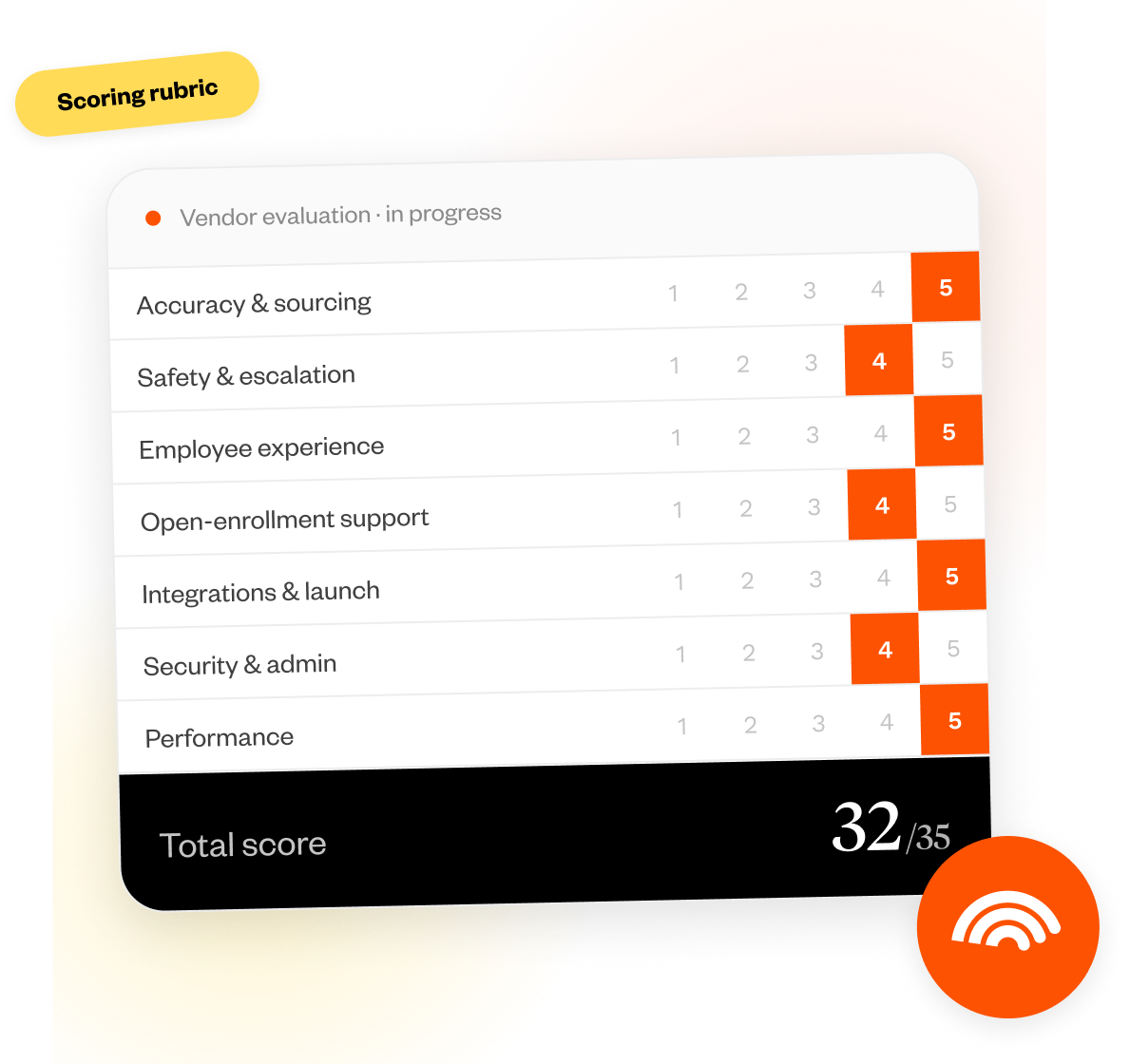
What makes a benefits navigator the "best" ?
Seeing a long list of features doesn’t necessarily mean you’re looking at a high-quality platform.
Our team of experts considers the best benefits navigators as those that deliver accurate answers to coverage questions, strong employee adoption, reduced HR workload, fast implementation, and enterprise-grade security.
The best AI benefits navigator is a platform that delivers accurate, plan-specific guidance in real time to help employees make confident healthcare decisions while reducing HR workload.
Evaluation criteria
(scoring rubric)
Are you in the middle of deciding which AI benefits navigator is the best fit for your company?
Use our scoring rubric to see if they measure up.
| Criteria | 1 Poor |
2 Limited |
3 Basic |
4 Strong |
5 Best-in-class |
Your score |
|---|---|---|---|---|---|---|
|
01
Accuracy & answer sourcing
|
1
Answers are generic, not tied to plan data |
2
Limited plan data, unclear sourcing |
3
Some plan-specific answers, inconsistent sourcing |
4
Mostly plan-specific with occasional gaps |
5
Fully grounded in EOC, SBC, and claims data |
|
|
02
Safety & escalation workflows
|
1
AI guesses when it's unsure, no escalation |
2
Basic fallback, but inconsistent behavior |
3
Some guardrails, limited escalation paths |
4
Strong guardrails with defined escalation |
5
Extremely reliable, clear escalation, and full audit trail |
|
|
03
Employee experience & adoption
|
1
Limited access, poor usability |
2
Single channel, minimal personalization |
3
Multi-channel but inconsistent UX |
4
Strong UX with personalization and 24/7 access |
5
Seamless, intuitive, multi-channel experience with high adoption and multilingual support |
|
|
04
Open enrollment decision support
|
1
Static plan info, no guidance |
2
Basic comparisons without personalization |
3
Some personalization, limited modeling |
4
Personalized comparisons with clear cost views |
5
Fully guided support with scenario modeling and clear advice |
|
|
05
Integrations & time-to-launch
|
1
No integrations, long manual setup |
2
Limited integrations, heavy internal lift |
3
Standard integrations with moderate effort |
4
Strong integrations with defined timeline |
5
Fast, low-lift deployment with deep integrations across systems |
|
|
06
Security & admin controls
|
1
No clear compliance or controls |
2
Basic security, limited visibility |
3
Meets baseline compliance |
4
Strong controls and encryption |
5
Full HIPAA compliance, robust admin controls, and detailed auditability |
|
|
07
Performance
|
1
No data or proof |
2
Anecdotal results only |
3
Some metrics, unclear attribution |
4
Clear KPIs with measurable outcomes |
5
Comprehensive tracking with verified results and reporting |
Your evaluation
Use this checklist in your demos
Check off the points in each section based on what you learn during your conversation.
Copy the list or download to share with your team.
AI benefits navigator vs alternatives
Your team has no shortage of options to choose from when it comes to benefits tools. Here's how AI navigators compare to other solutions.
| Solution | Best for | Common gaps | What to verify |
|---|---|---|---|
|
AI benefits navigator
Recommended core |
|
|
|
|
Traditional navigation
|
|
|
|
|
EAP
|
|
|
|
|
Carrier support
|
|
|
|
|
Benefits advisor / TPA support
|
|
|
|
Red flags to watch out for
If you notice any of these in a demo, it's worth asking follow-up questions to evaluate their reliability before moving forward.
- No source citations or audit trail for coverage answers
- No escalation path when the AI tool is unsure
- Vague "AI" claims without measurable accuracy
- No clarity on implementation or data access
- AI tool can't reference plan docs or enrollment rules in its answers
- No case studies, benchmarks, or documented results
- No proof of cost savings, efficiency gains, or utilization impact
- Poor or inconsistent customer reviews across trusted platforms
- No human support options for complex or sensitive cases
- Early-stage company with less than 1 year in the market
Get expert input
Want to see a modern benefits platform in action?
Our AI-powered platform helps employees navigate benefits with confidence and reduces your overall healthcare spend.
See how Healthee works
20-minute walkthrough. No sales pressure.
No obligation · Personalized to your benefits stack
FAQ
Quick answers to the questions HR and benefits teams ask most when evaluating AI navigators.
An AI benefits navigator is a digital platform that uses AI to answer benefits questions, guide plan decisions, and help employees find care based on their specific coverage and needs.
The best solution delivers accurate, plan-specific answers in real time, drives high employee adoption, reduces HR workload, and proves measurable outcomes.
No. It extends them by handling day-to-day employee questions and decisions, while brokers, carriers, and HR focus on strategy, plan design, and complex cases.
Use platforms that ground responses in source data (EOC, SBC, claims), cite answers, include guardrails for uncertainty, and offer human escalation when needed.
Expect eligibility file access, SSO setup, and integrations with ben admin and carrier systems, with minimal ongoing lift from HR after launch.
Look for HIPAA compliance, data encryption, role-based access controls, audit logs, and adherence to privacy regulations like CCPA.